Contents
What Is an Asset Withdrawal
Before You Withdraw Funds
Withdraw via the Website
Withdraw via the App
1. What Is an Asset Withdrawal?
An asset withdrawal is the process of transferring digital assets from your Hotcoin account to an external wallet address, such as a personal wallet or another trading platform.
2. Before You Withdraw Funds
Before initiating a withdrawal, please make sure that:
- The withdrawal address is correct and secure
- The withdrawal amount meets the platform’s minimum withdrawal requirement
- Your computer or mobile device is connected to a secure network to prevent information leakage
3. Withdrawal Process
Method 1: Withdraw via the Website
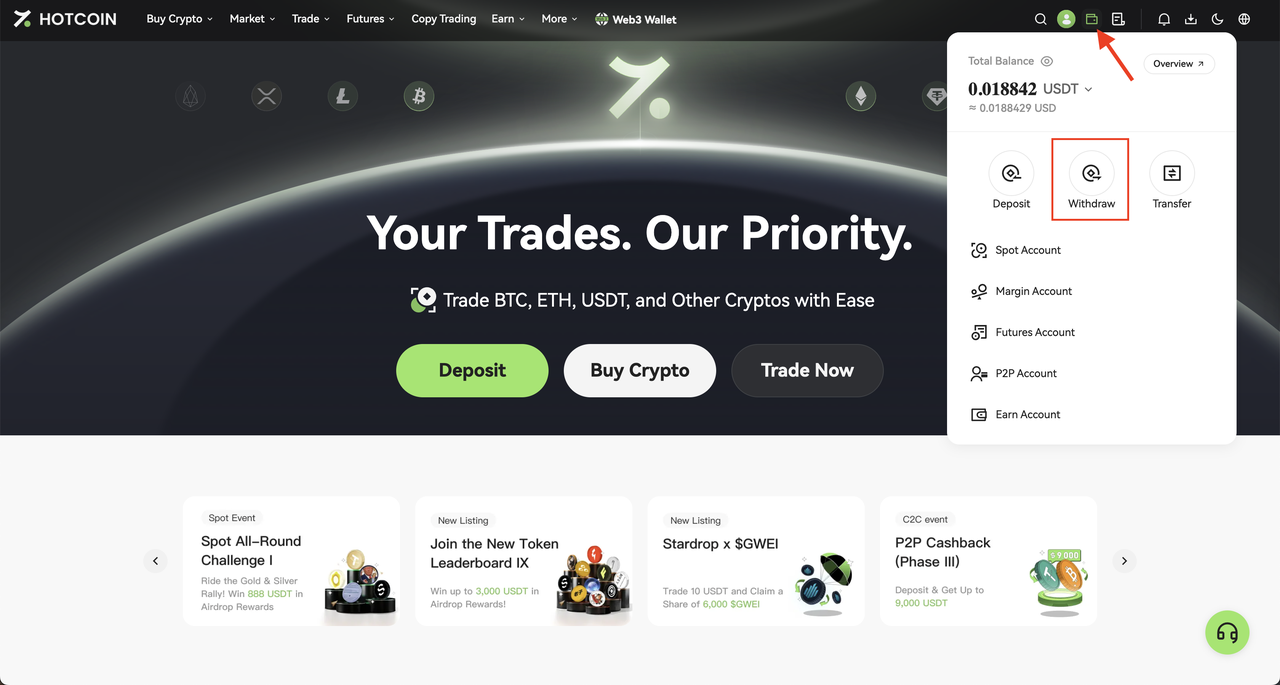
1. Log in to the Hotcoin official website, move your cursor to the “Assets” icon in the upper-right corner, and click “Withdraw”.
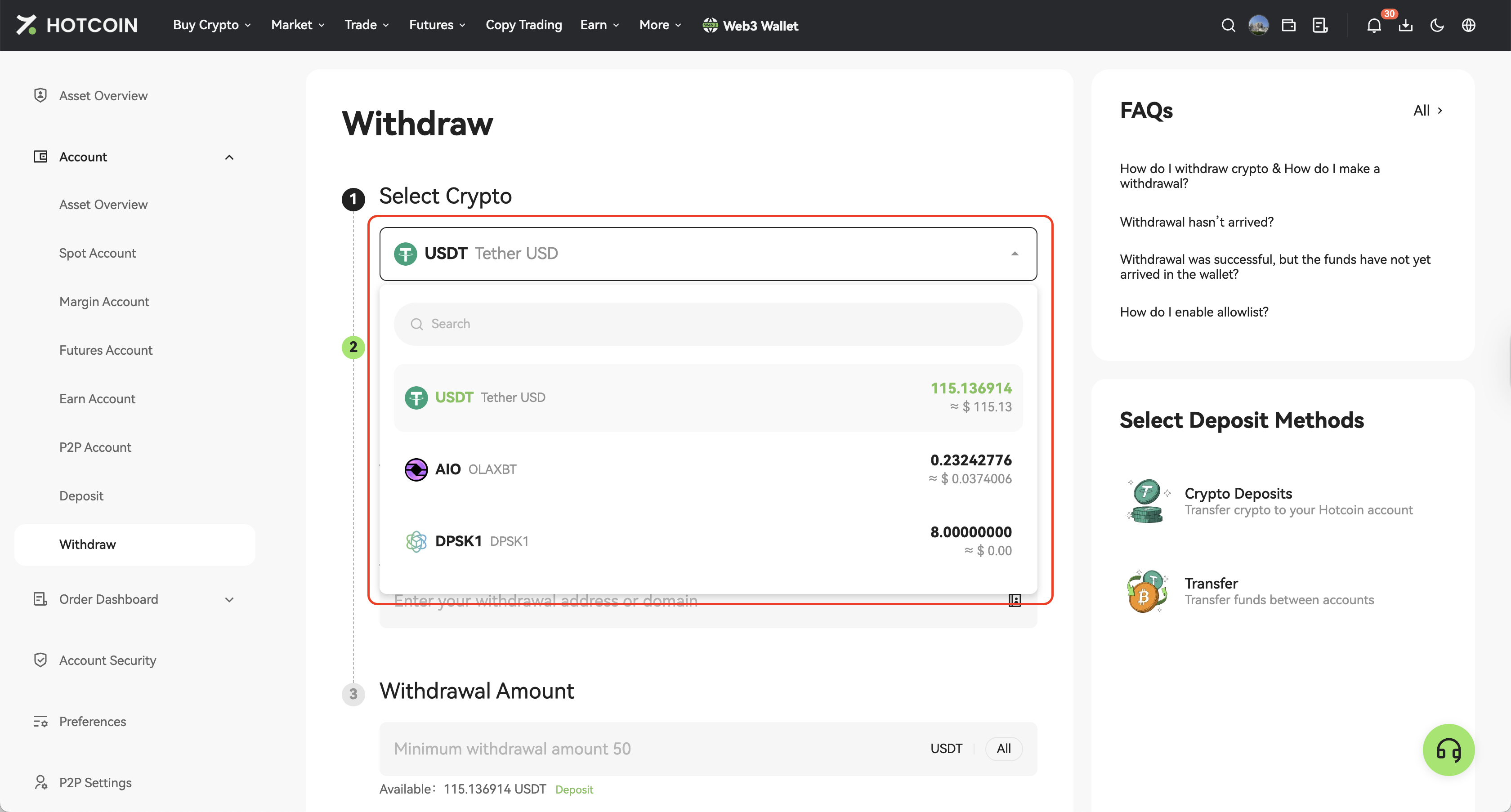
2. On the Withdraw page, select the asset you wish to withdraw from the "Select Crypto" dropdown list (e.g., USDT).
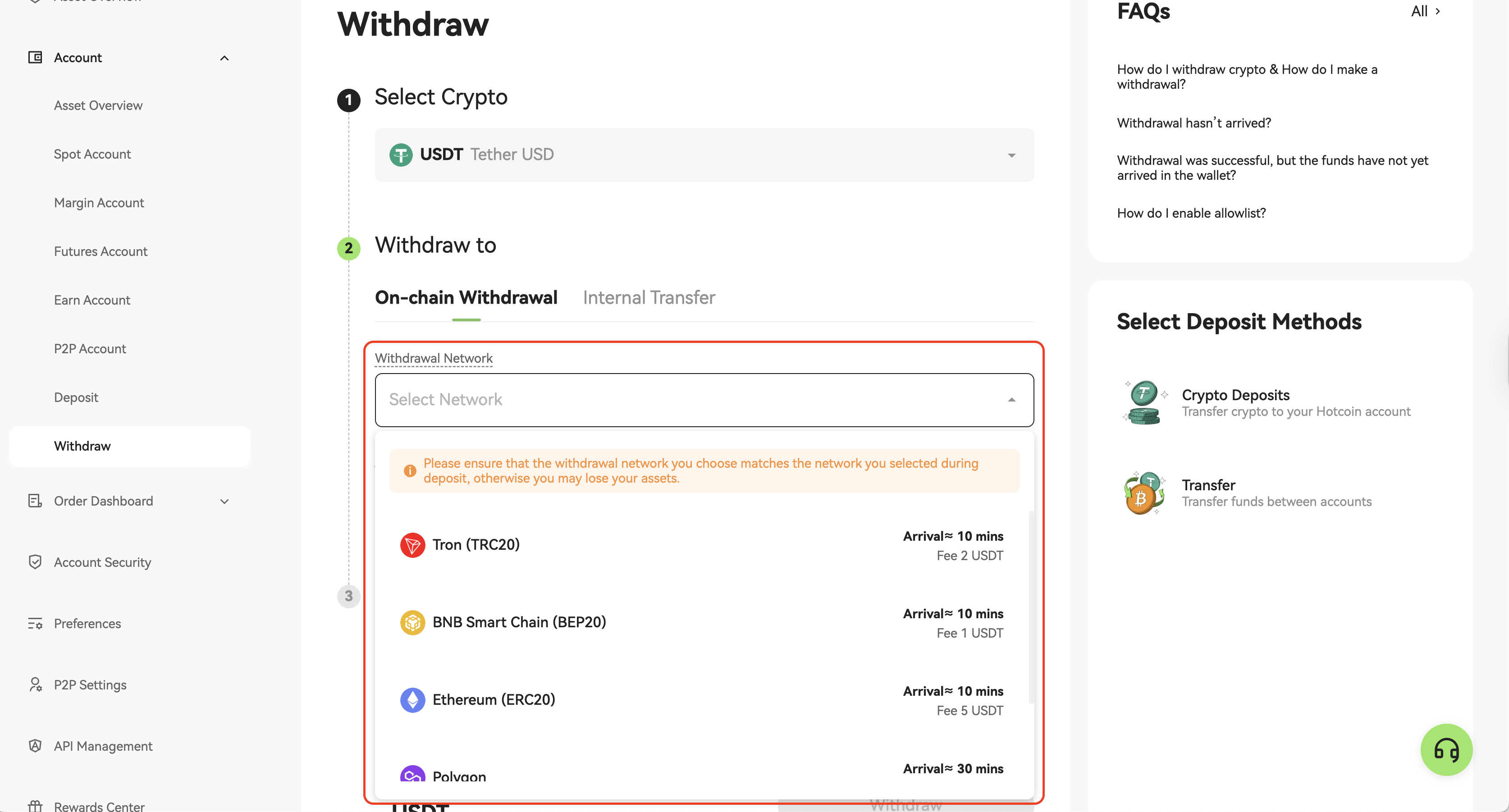
3. Choose "On-chain Withdrawal" (not Internal Transfer), then select the corresponding blockchain network under "Withdrawal Network" (for example, BNB Smart Chain (BEP20)).
4. Enter the withdrawal address in "Withdrawal Address / Domain". You can also click the Address Book icon on the right to manage or add new withdrawal addresses.
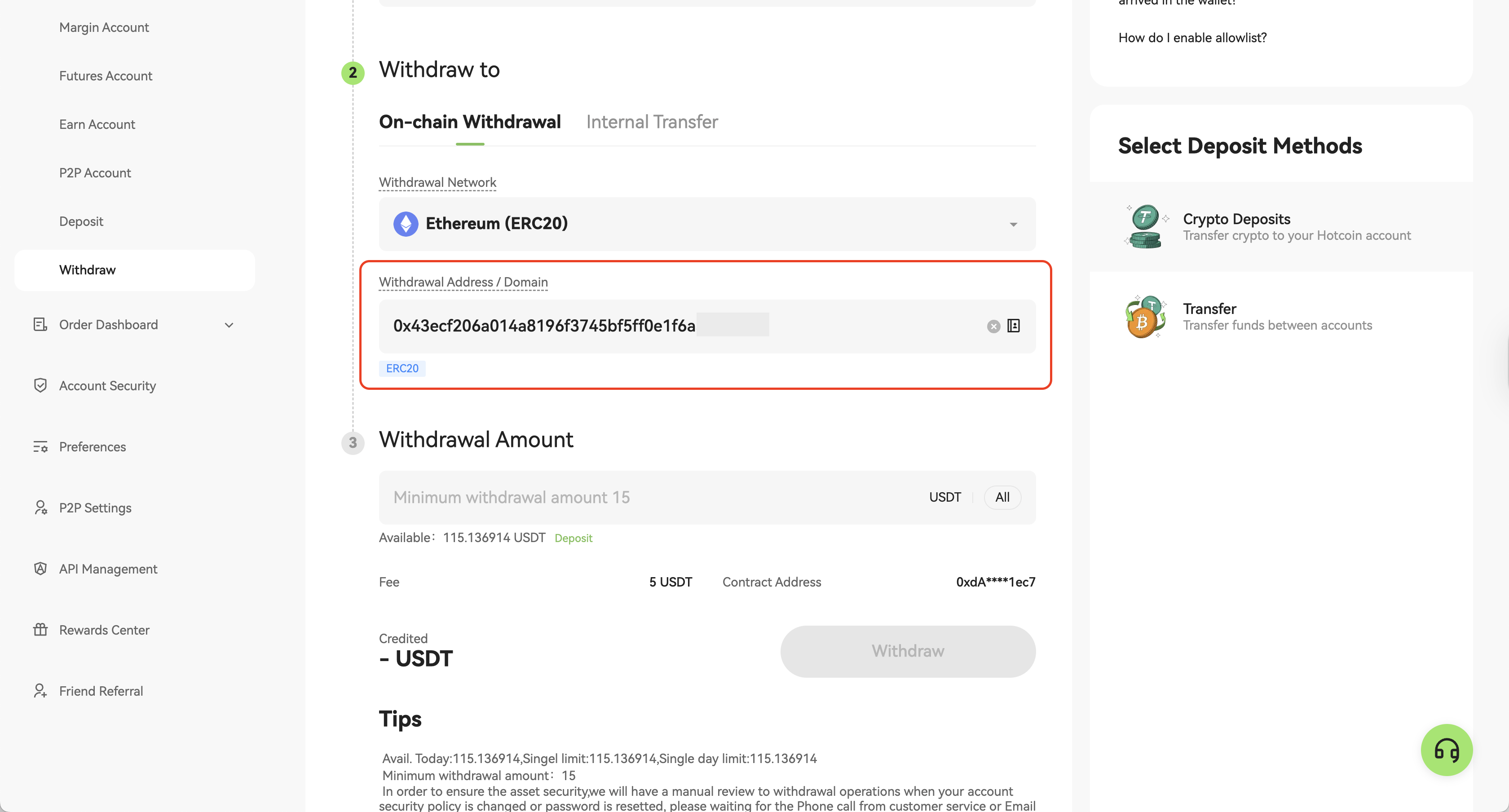
5. Enter the withdrawal amount. The page will automatically display the withdrawal fee and the estimated amount to be received.
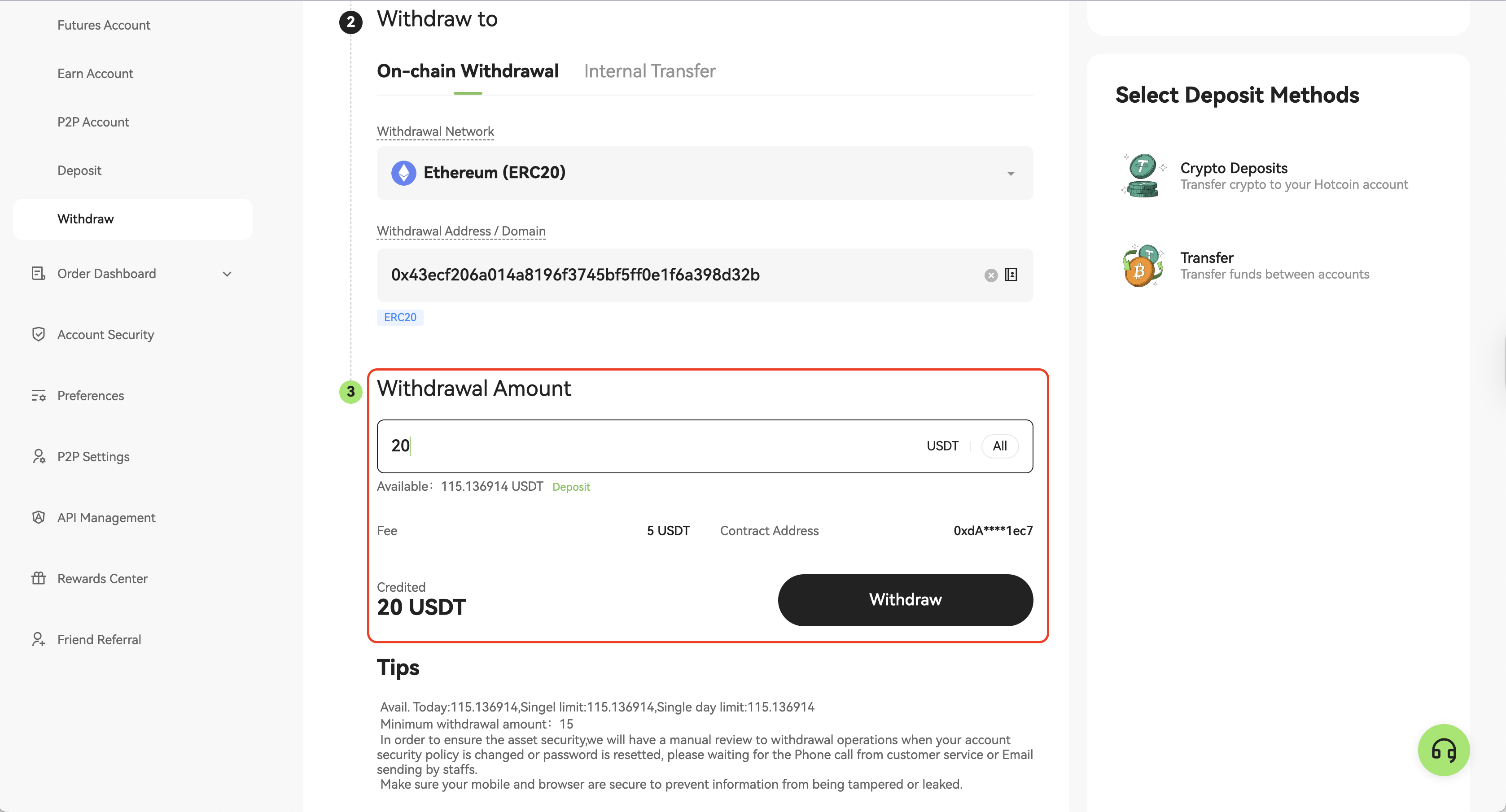
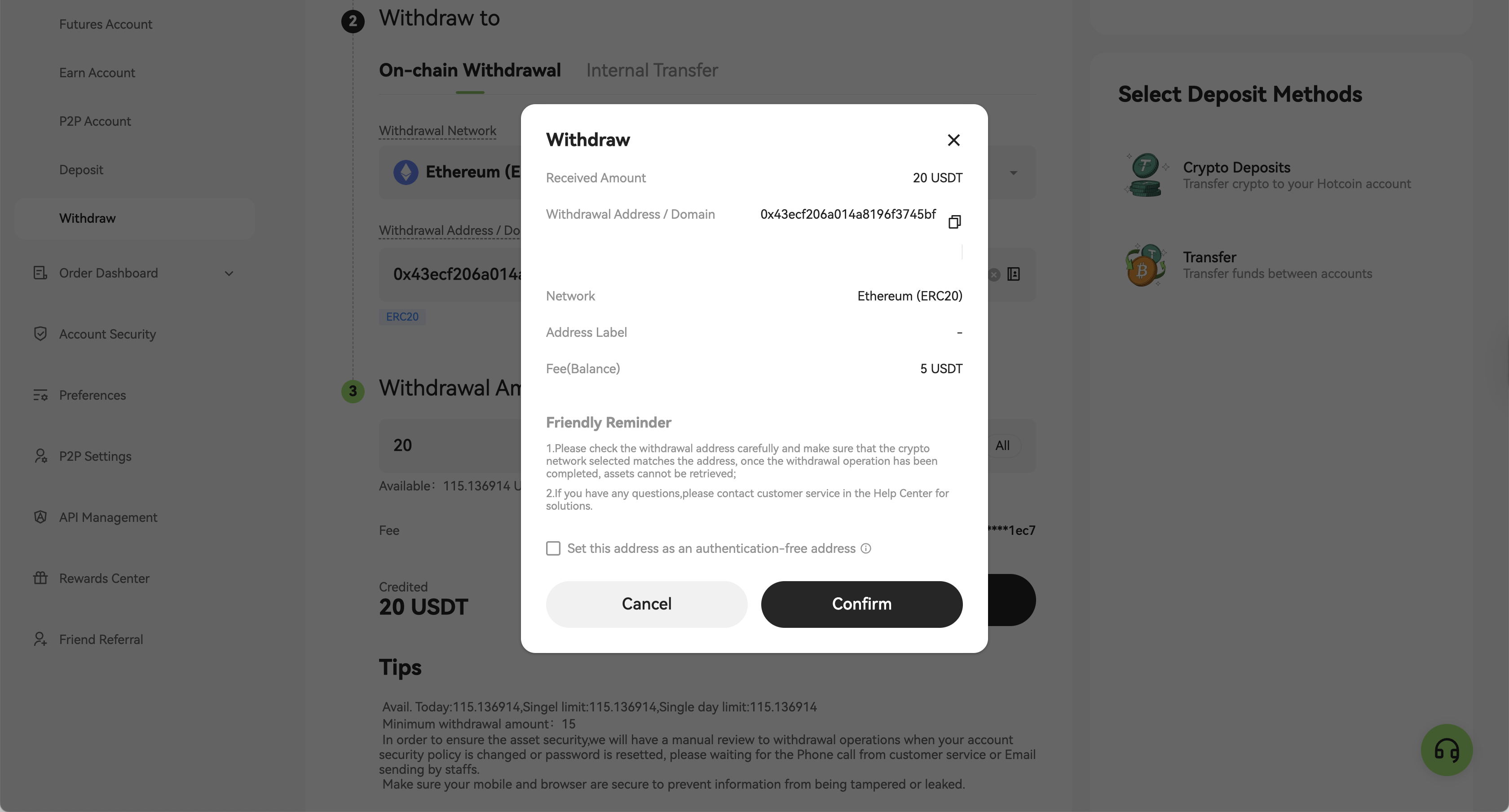
6. Click “Withdraw”, review the withdrawal details in the pop-up window, and then click “Confirm”.
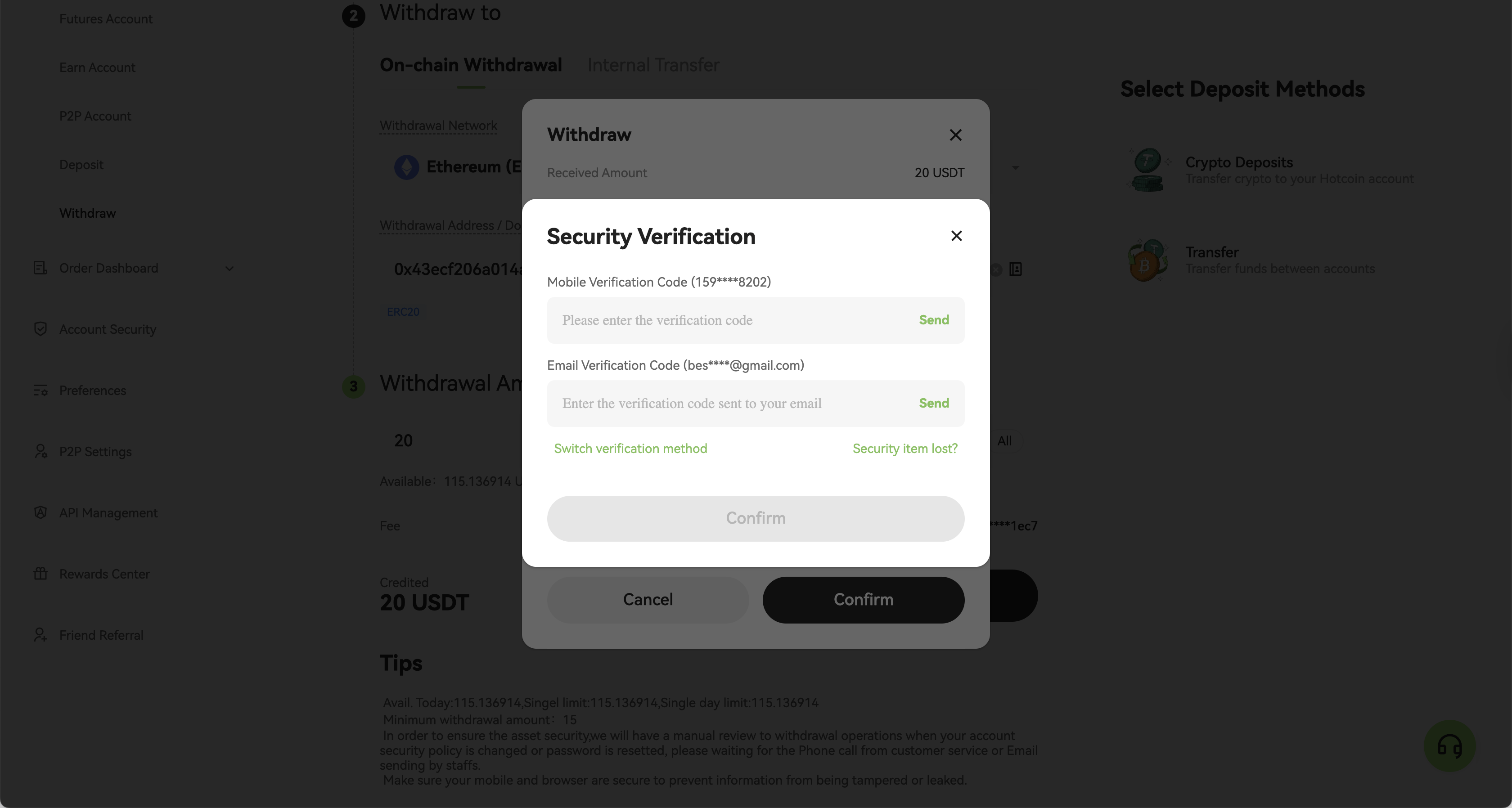
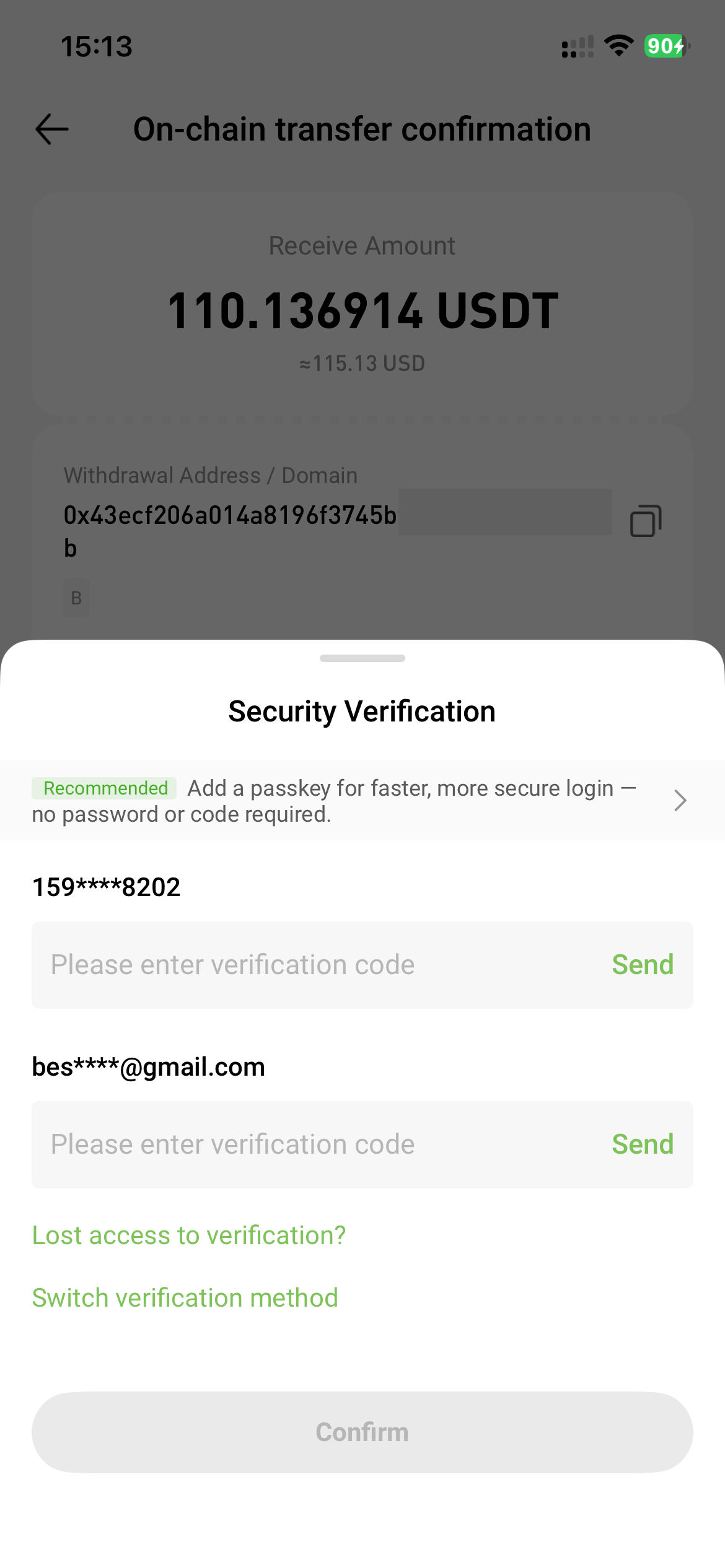
7. Complete the required security verification as prompted (e.g., SMS, email, or Google Authenticator), and click “Confirm”.
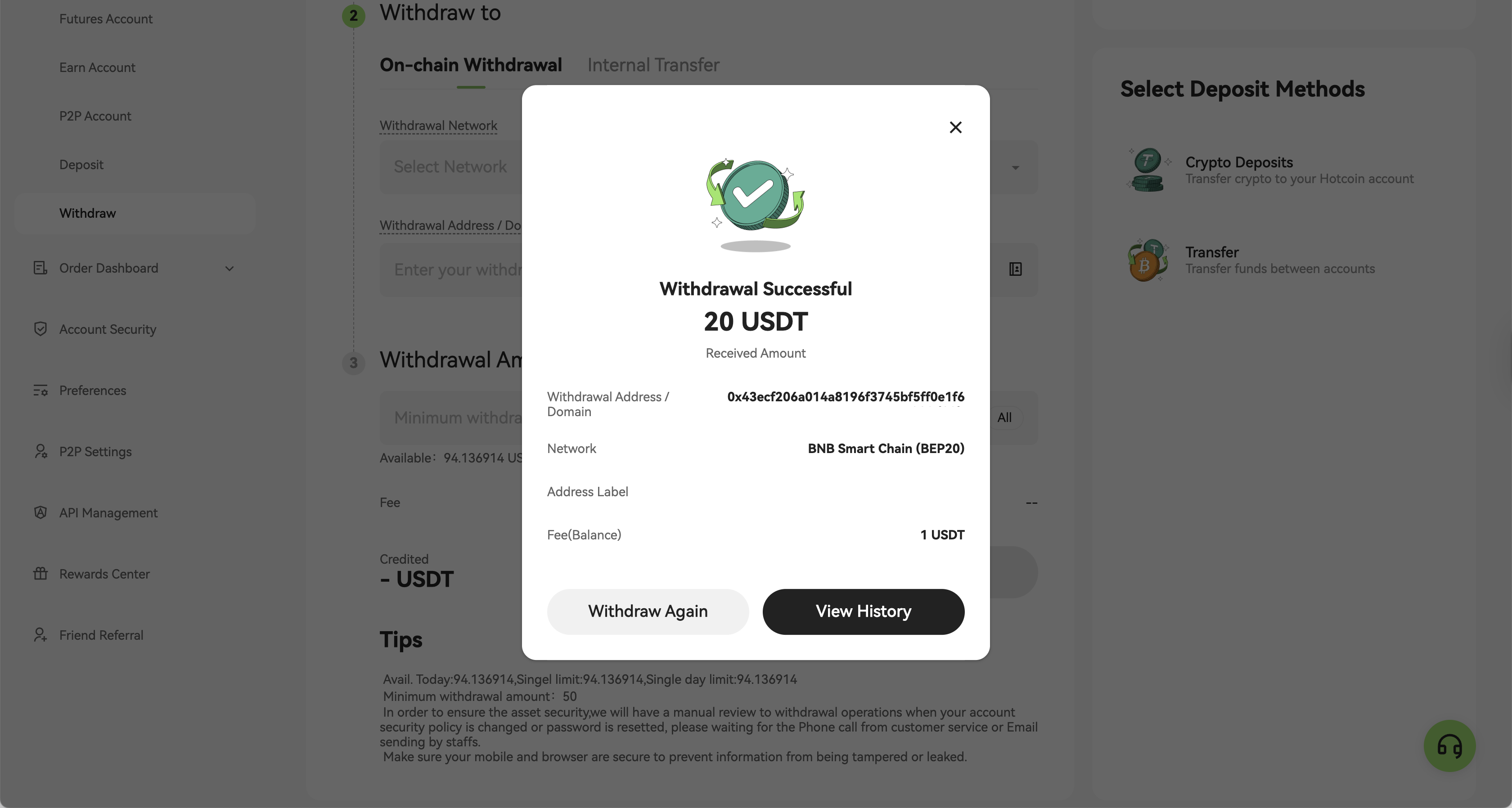
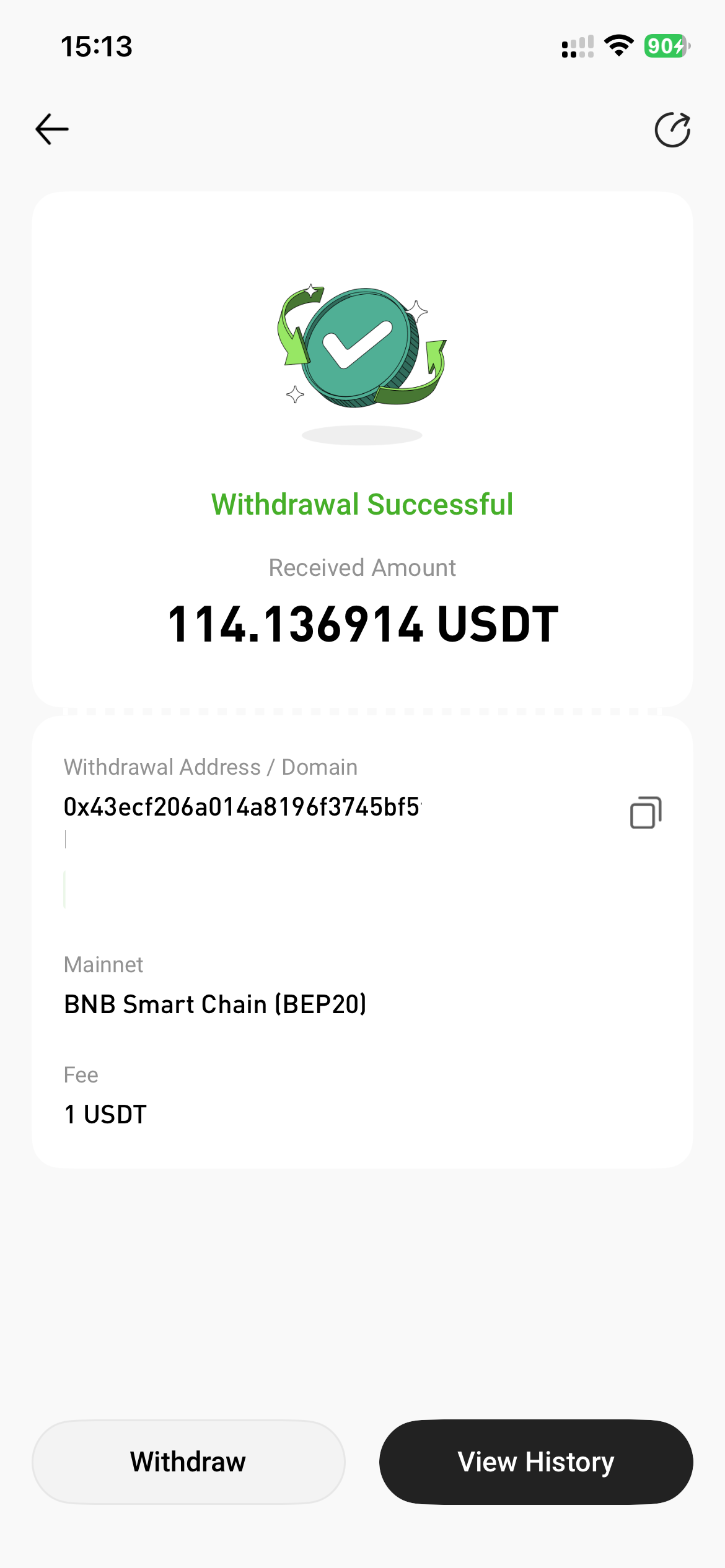
8. When the message "Withdrawal Successful" appears, your withdrawal has been successfully submitted. You can click "View History" at the bottom of the page to check the withdrawal status.
Method 2: Withdraw via the App
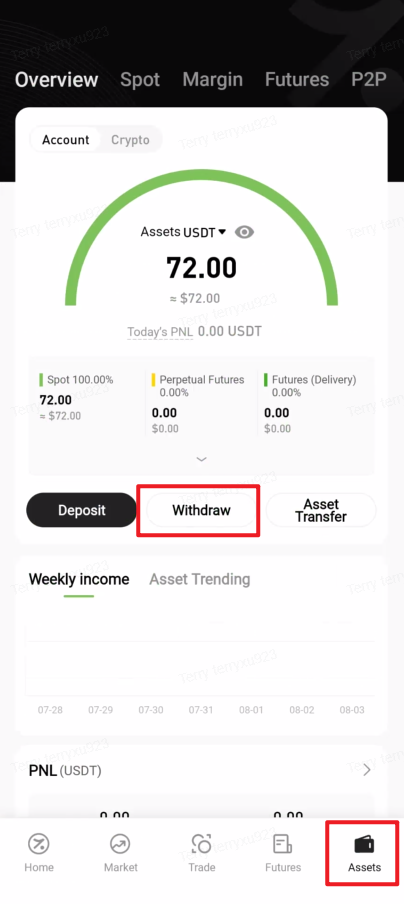
1. Open the Hotcoin App, tap “Assets” in the bottom-right corner to enter the asset overview page, then tap “Withdraw”.
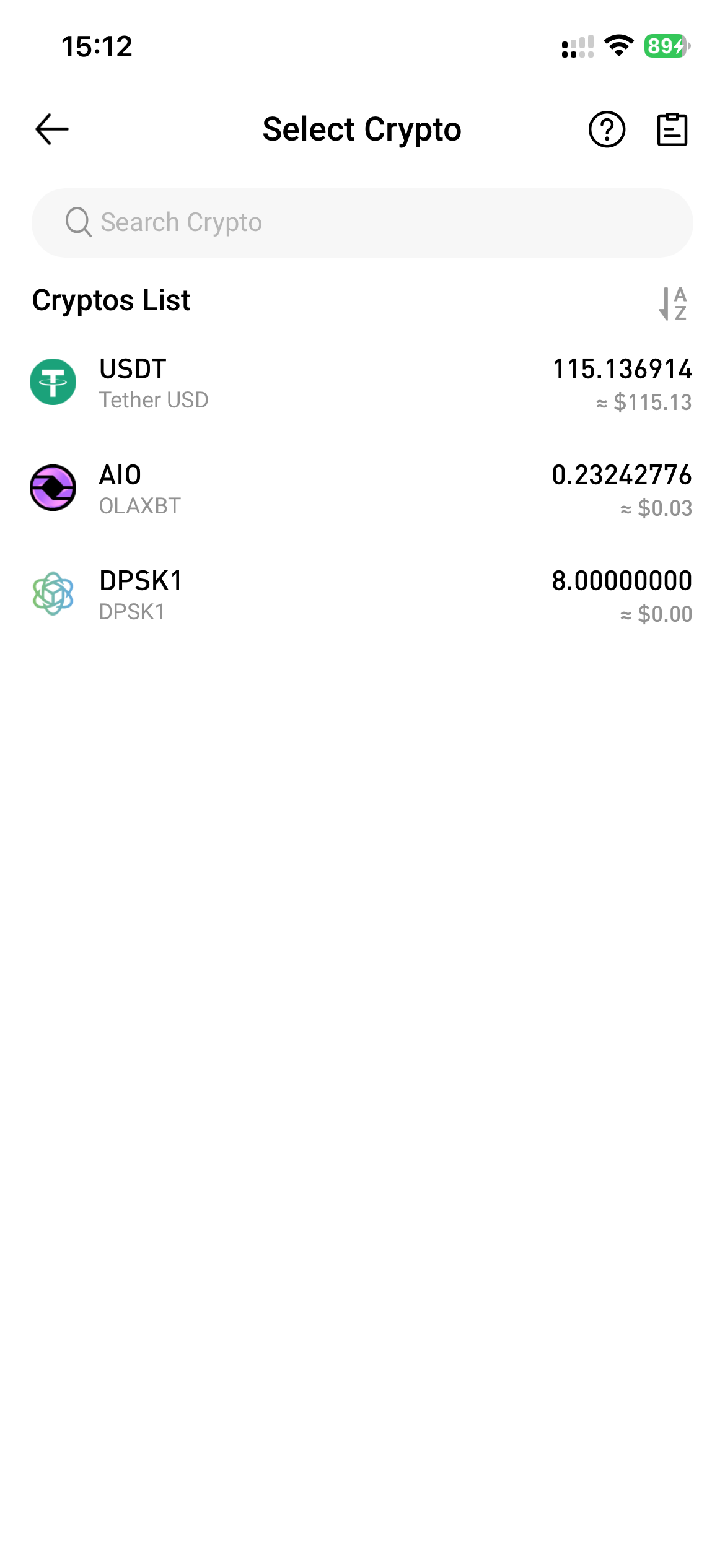
2. Select the asset you wish to withdraw from the Cryptos List.
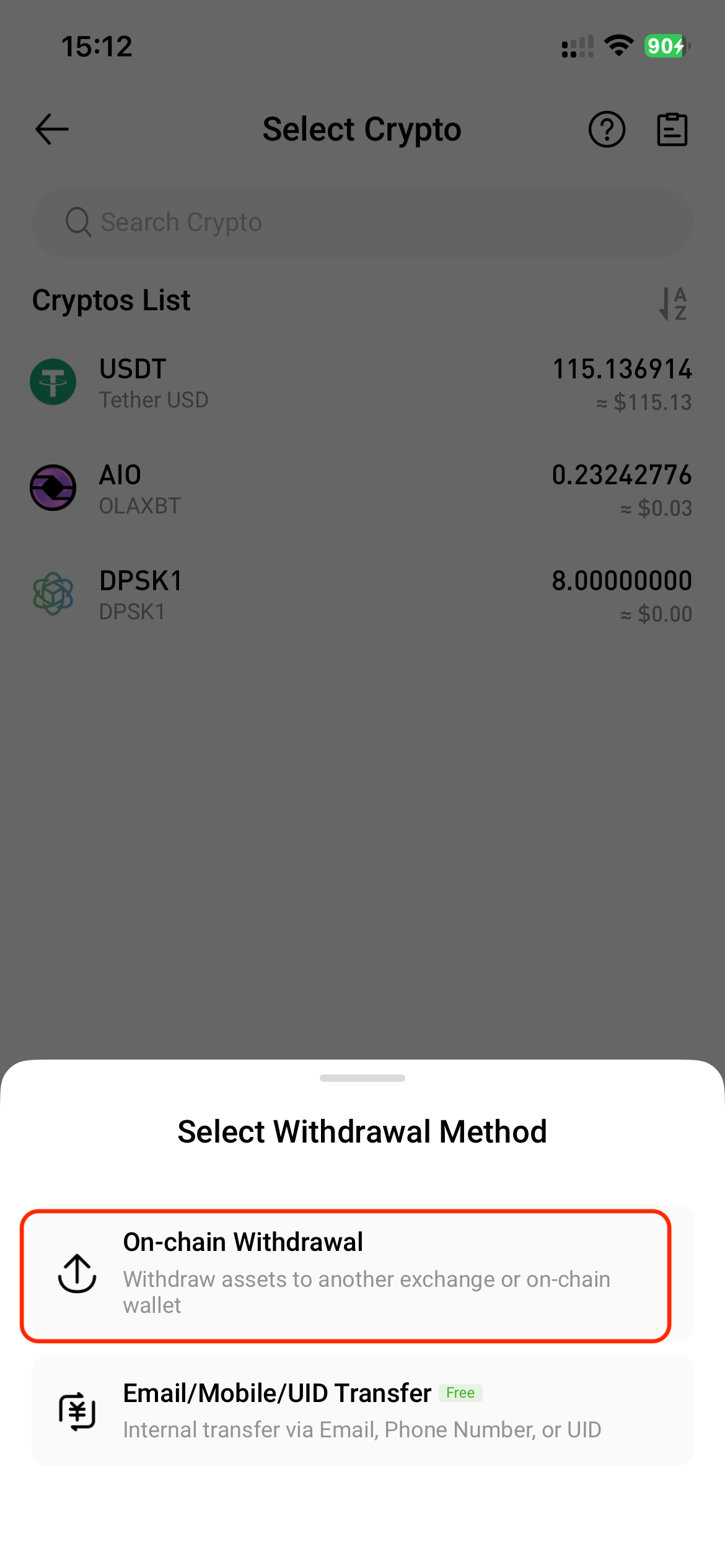
3. In the Select Withdrawal Method window, choose “On-chain Withdrawal”.
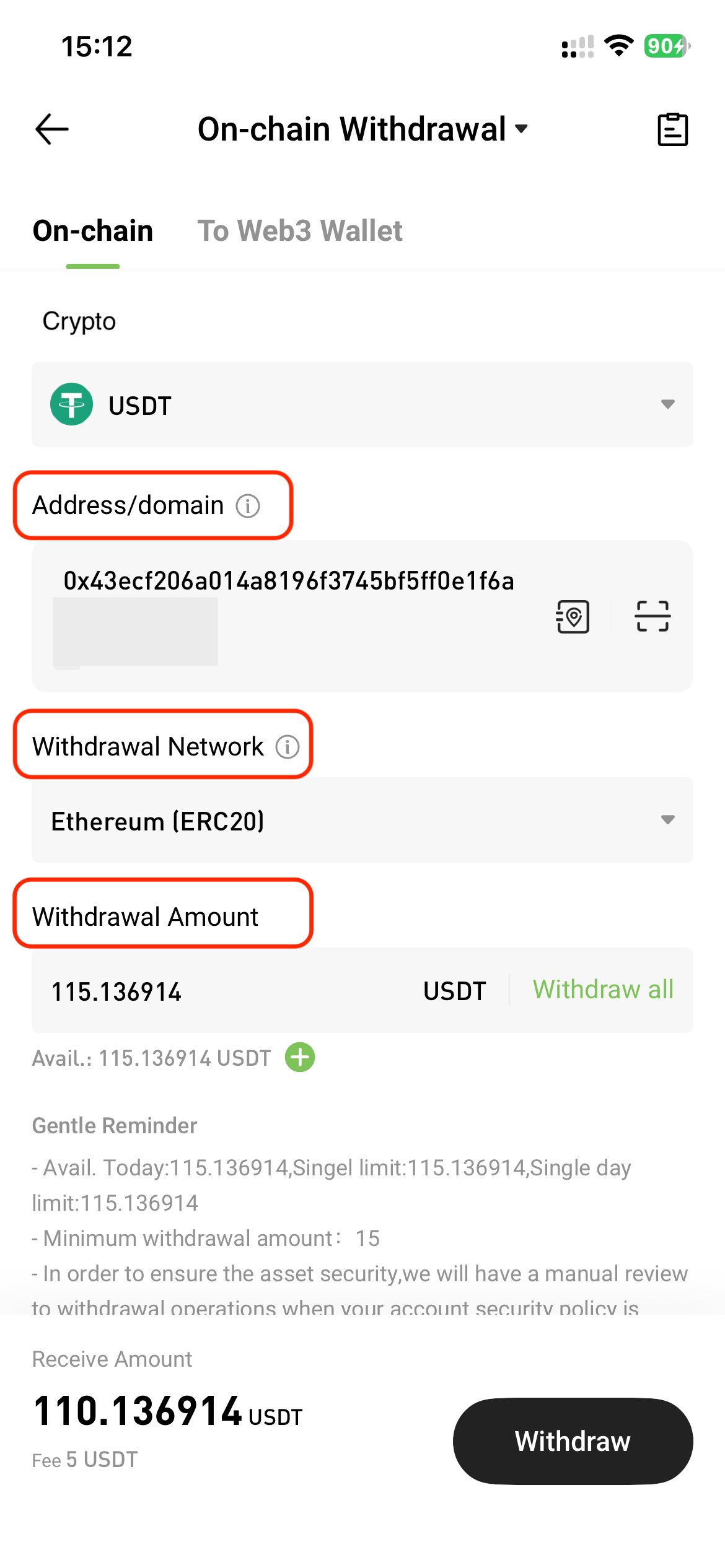
4. On the On-chain Withdrawal page, tap "On-chain" and enter the following information:
- Address / Domain: To manage or add a new address, tap the Address Book icon next to the input field.
- Withdrawal Network: Ensure the selected network matches the one used for depositing funds; otherwise, assets may be lost.
- Withdrawal Amount: After entering the amount, the system will automatically display the fee and the estimated amount to be received.
- Tap “Withdraw”.
5. Review the transfer details in the pop-up window, then tap “Confirm”.
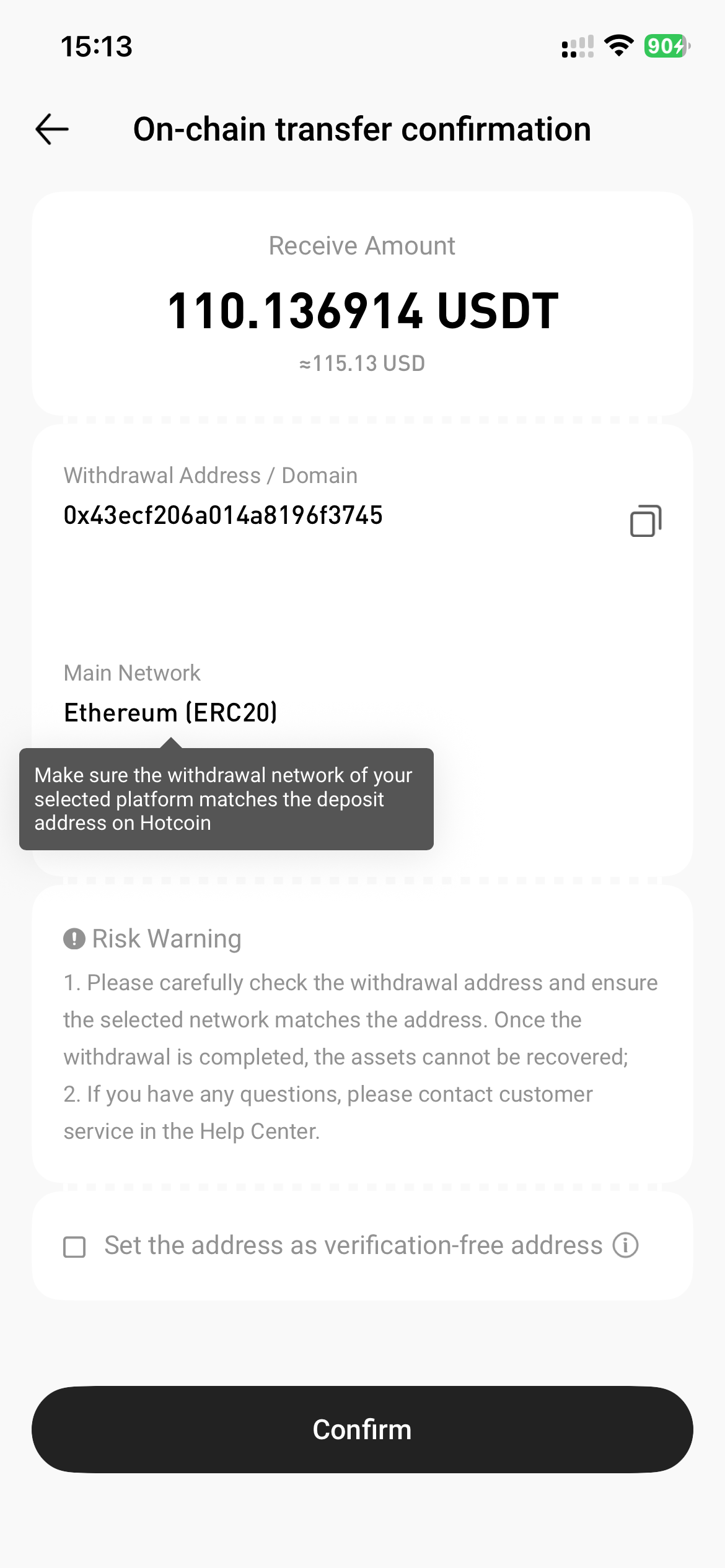
6. Complete the required security verification (e.g., SMS, email, or Google Authenticator), then tap "Confirm".
7. The withdrawal is completed successfully.
💡 Tips
- Withdrawal requests must be confirmed by blockchain network nodes. Processing time varies by token and network.
- Withdrawals below the minimum limit will not be processed. Check the specific token’s withdrawal page for the threshold.
- Always ensure your device and browser are secure to prevent tampering or data leaks.

