


Service Contacts
Product Feedback
Business Cooperation
Legal Contacts
About us
Service
Support
©2017-2026
I. What Is Alpha Trading
Alpha Trading allows users to trade on-chain tokens directly using USDT from their spot account, without leaving the platform.
In traditional on-chain trading, users are typically required to withdraw assets to an external wallet and execute trades through decentralized exchanges (DEXs). This process involves multiple steps, including asset withdrawals and wallet connections, which may create barriers for new users. In addition, some on-chain tokens are not yet listed on centralized exchanges and can only be traded on-chain.
Alpha Trading integrates on-chain trading capabilities directly into the exchange, enabling users to buy and sell on-chain tokens without withdrawals or wallet connections. This provides a more efficient and seamless one-stop on-chain trading experience.
This feature is particularly suitable for users who want to participate in on-chain projects but are not familiar with using wallets or on-chain processes.
II. How to Use Alpha Trading
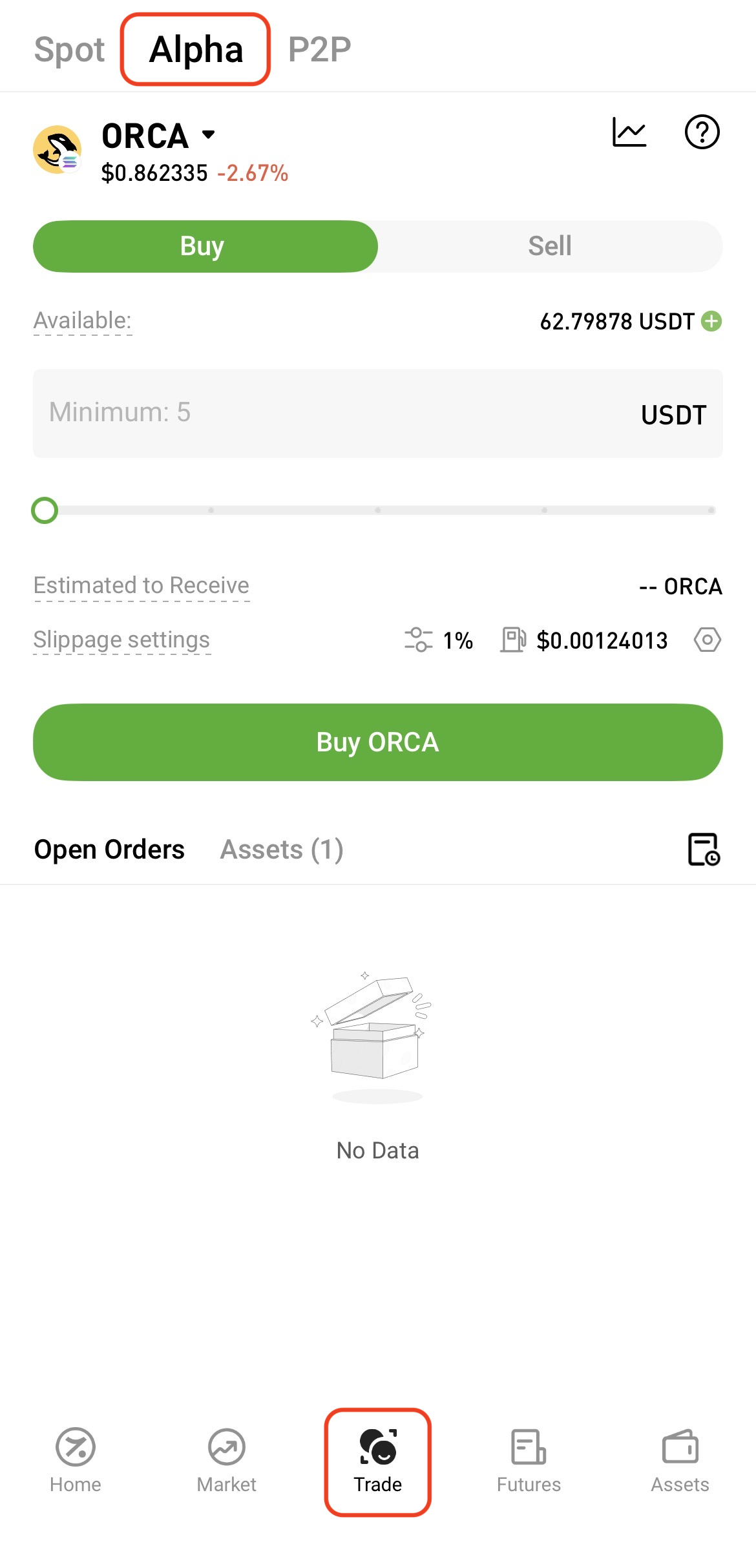
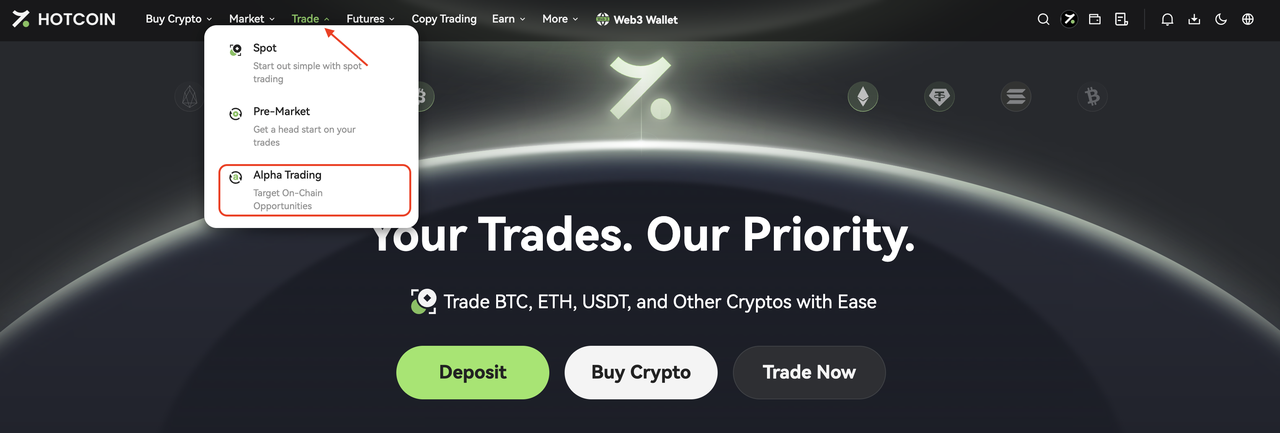
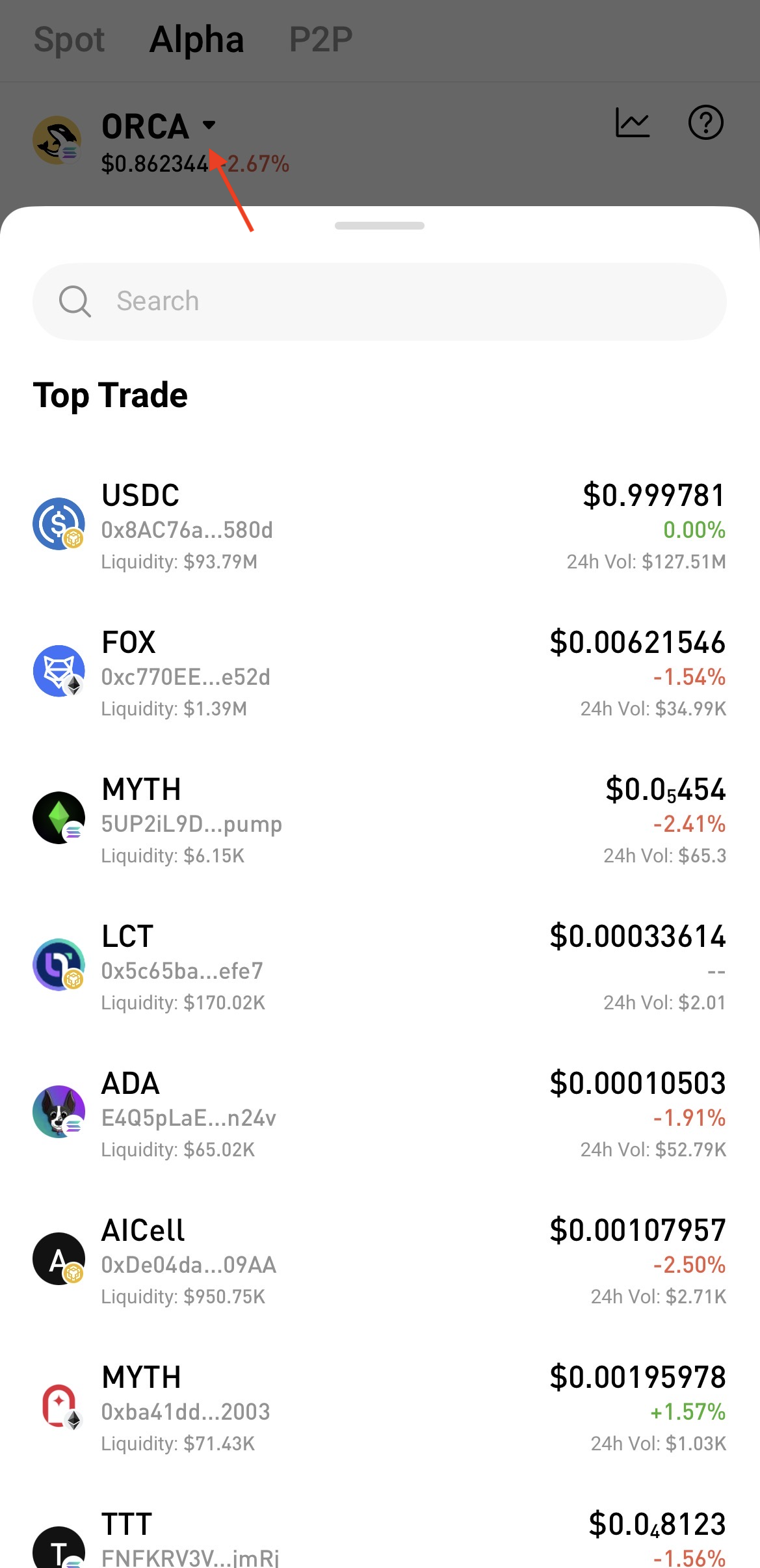
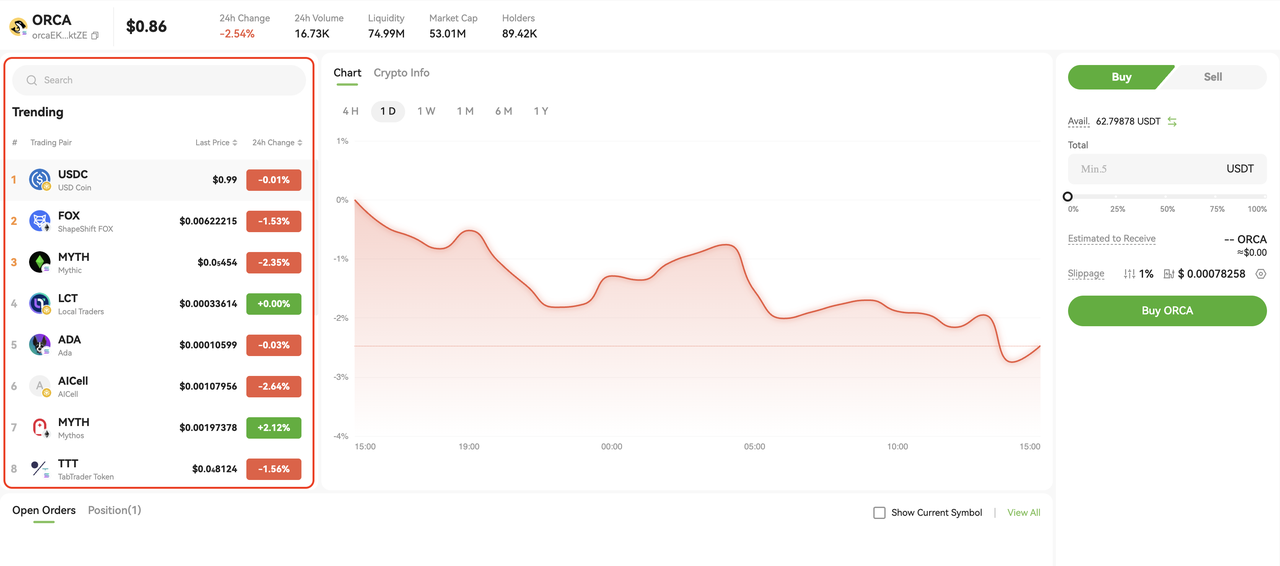
Note: If multiple tokens share the same name, please verify using the contract address before trading.
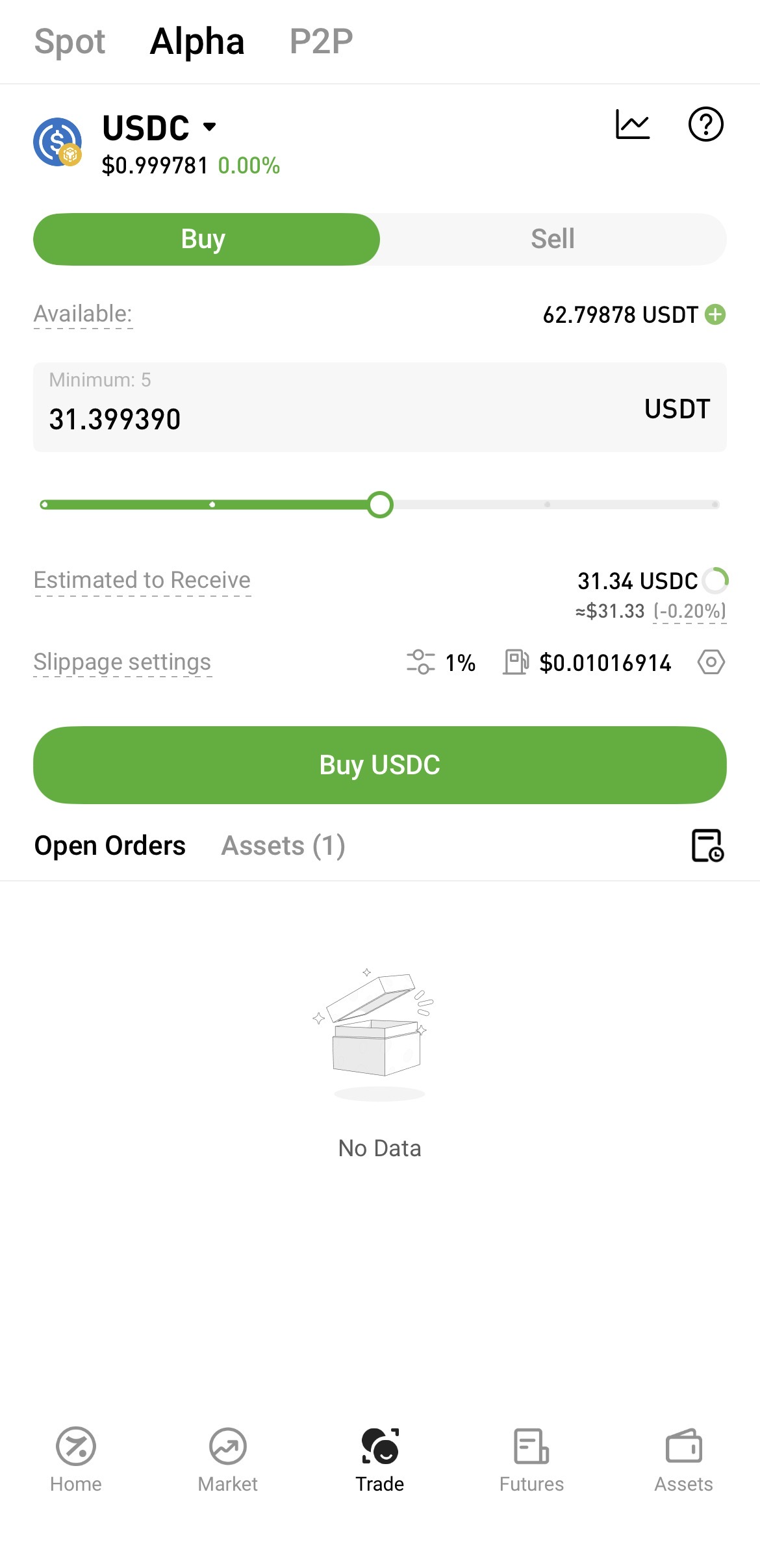
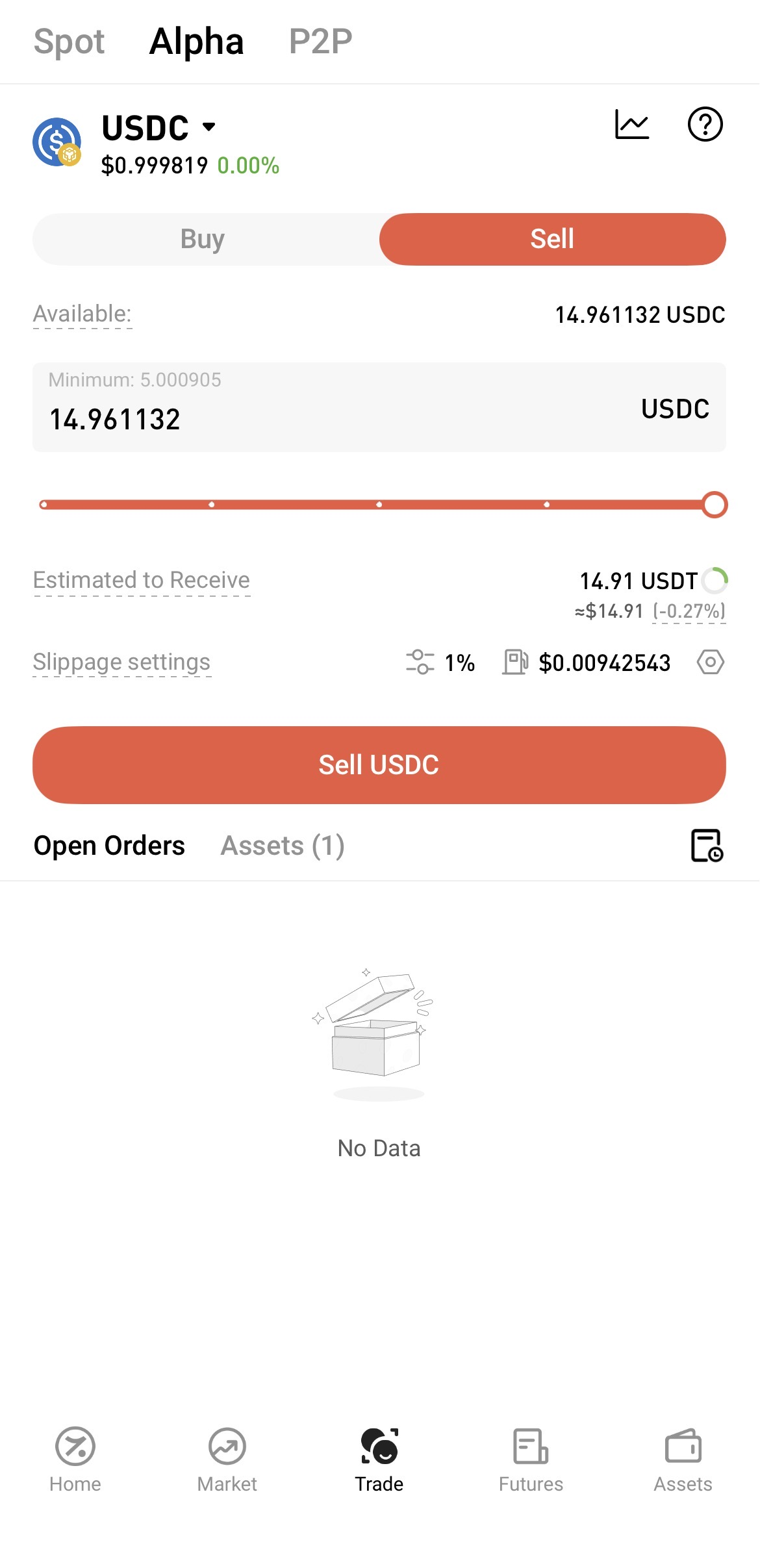
The system will estimate the amount you are expected to receive based on current on-chain market conditions. Actual execution results may vary due to slippage, on-chain network fees, and other factors.
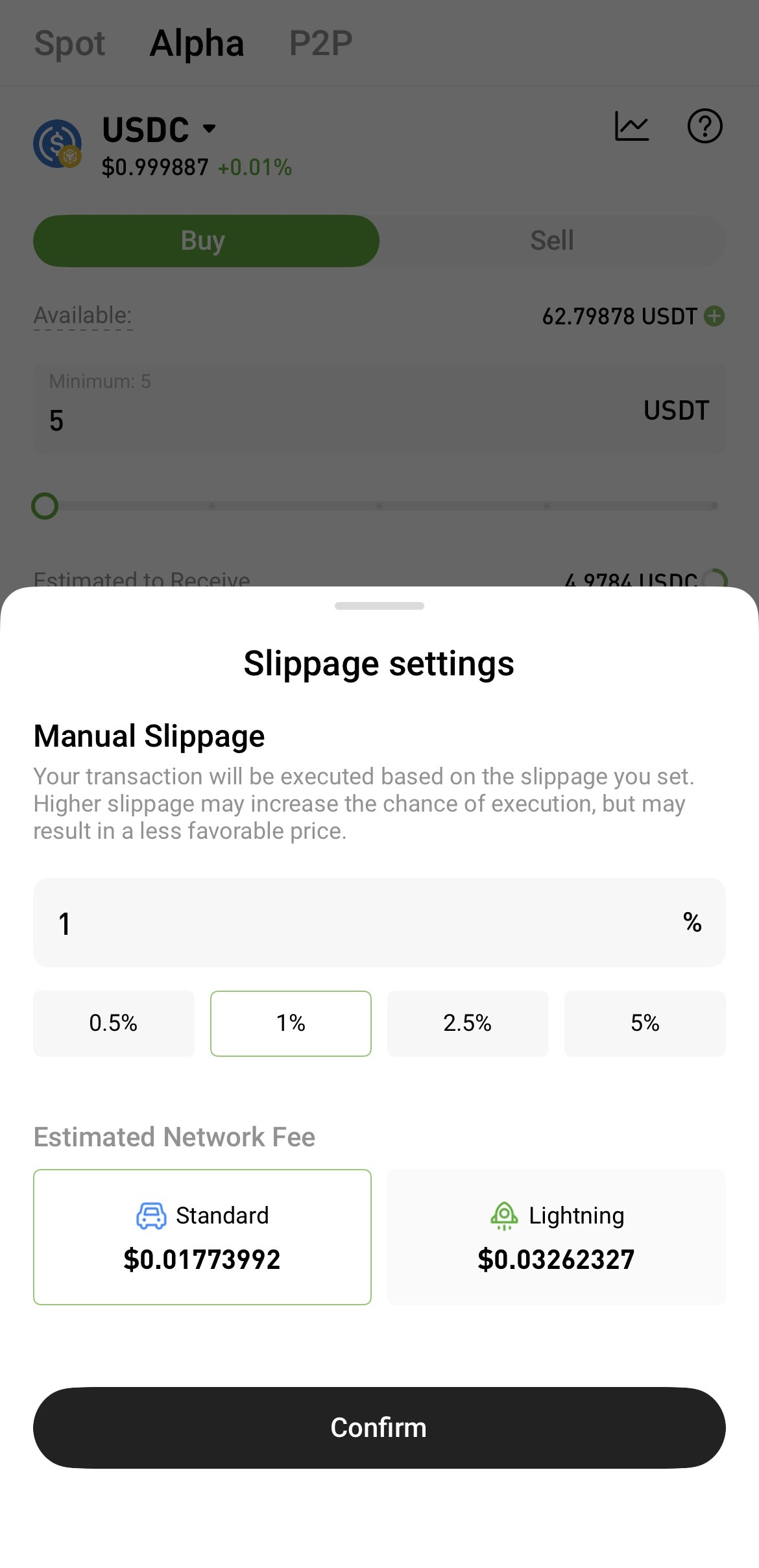
Because on-chain asset prices can be highly volatile, you may set slippage tolerance based on market conditions to improve the likelihood of order execution.
Slippage refers to the difference between the expected execution price and the actual execution price. A higher slippage tolerance makes an order more likely to be filled, but it also increases the possibility that the final execution price will deviate from your expectation.
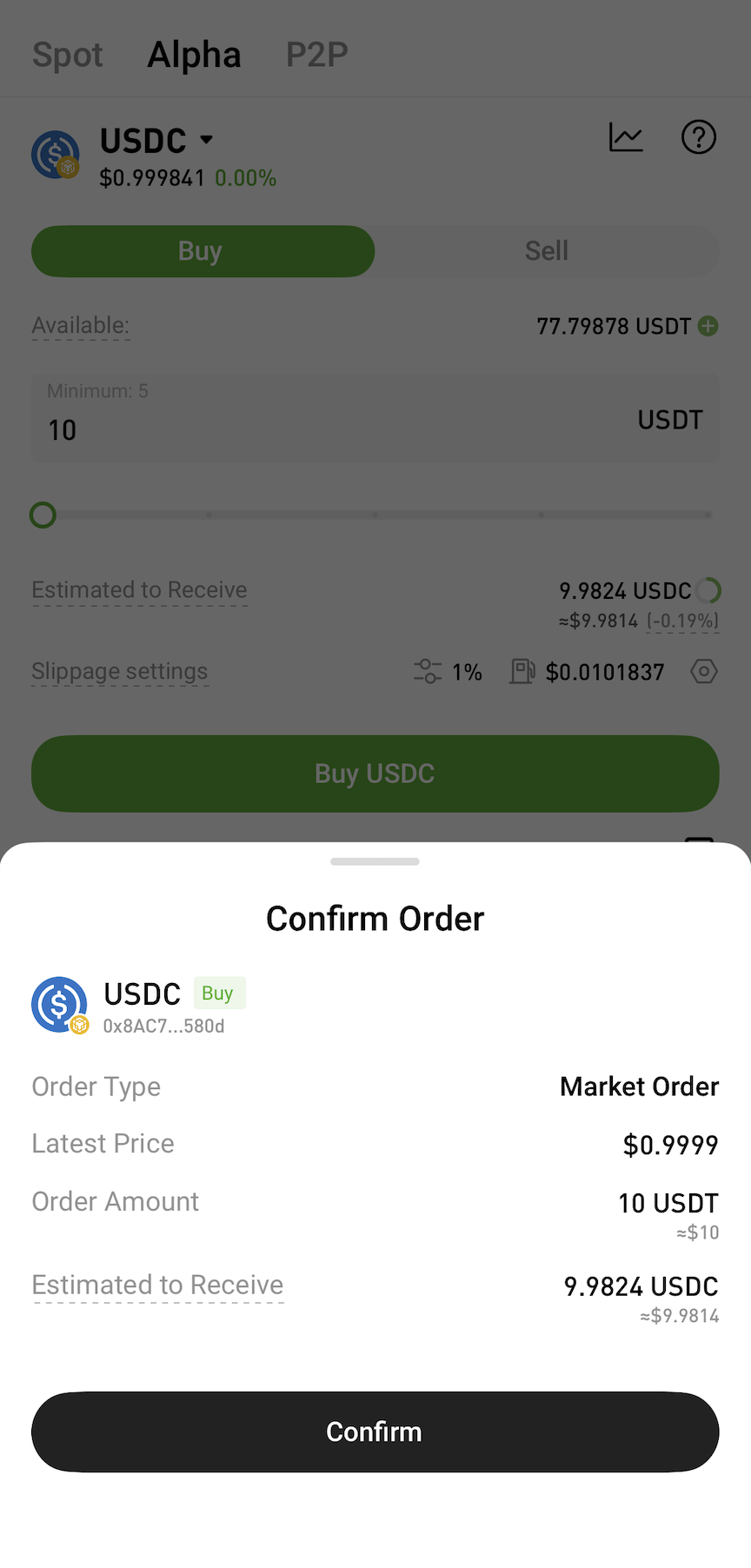
After confirming the estimated received amount and fees, submit the order and wait for blockchain network confirmation. Alpha Trading currently supports market orders only. The final execution price and received amount are subject to on-chain execution results.
After submitting the order, users can view order status and execution status in Alpha Orders. If an order is not filled or submission fails, please refer to the on-screen message for details.
On the App:
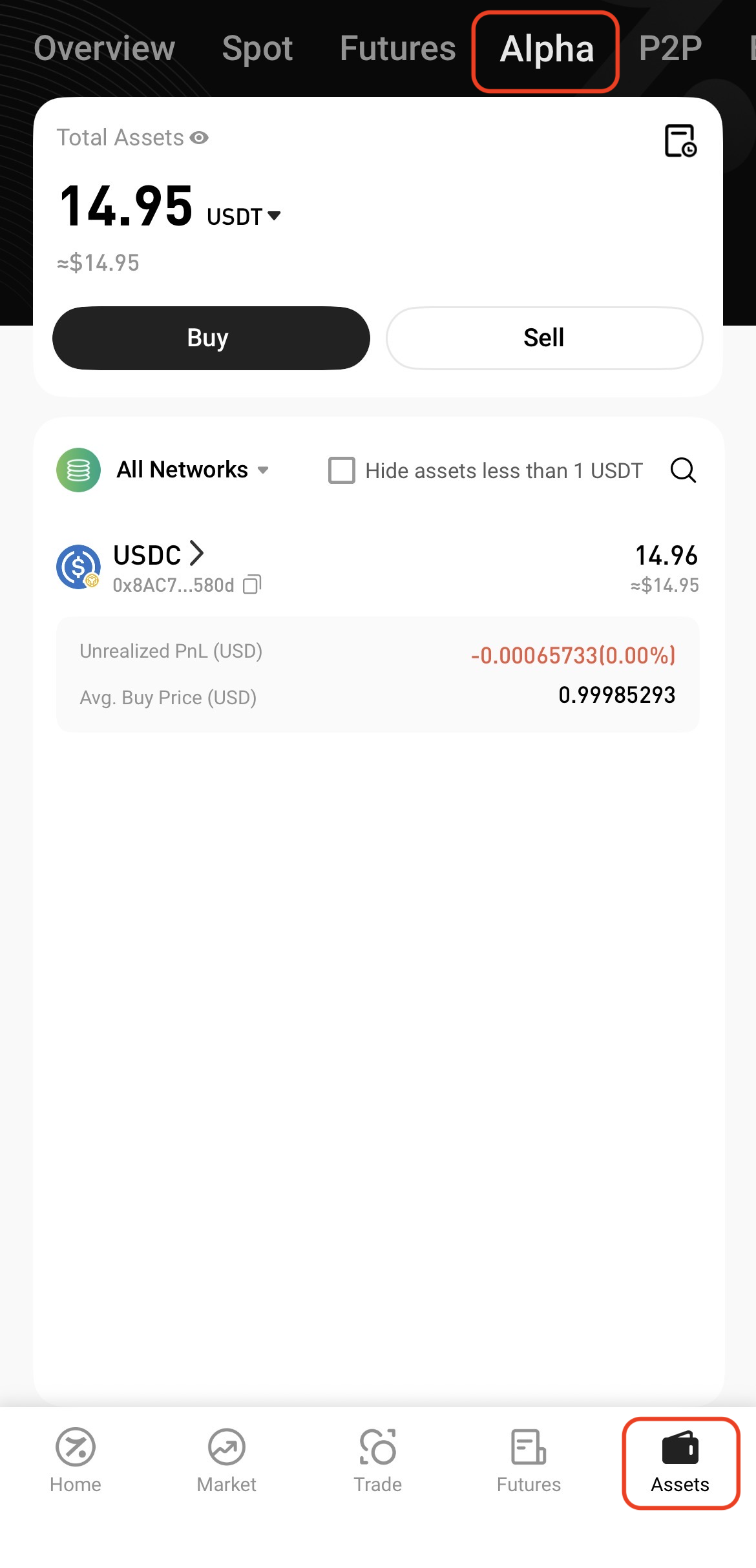
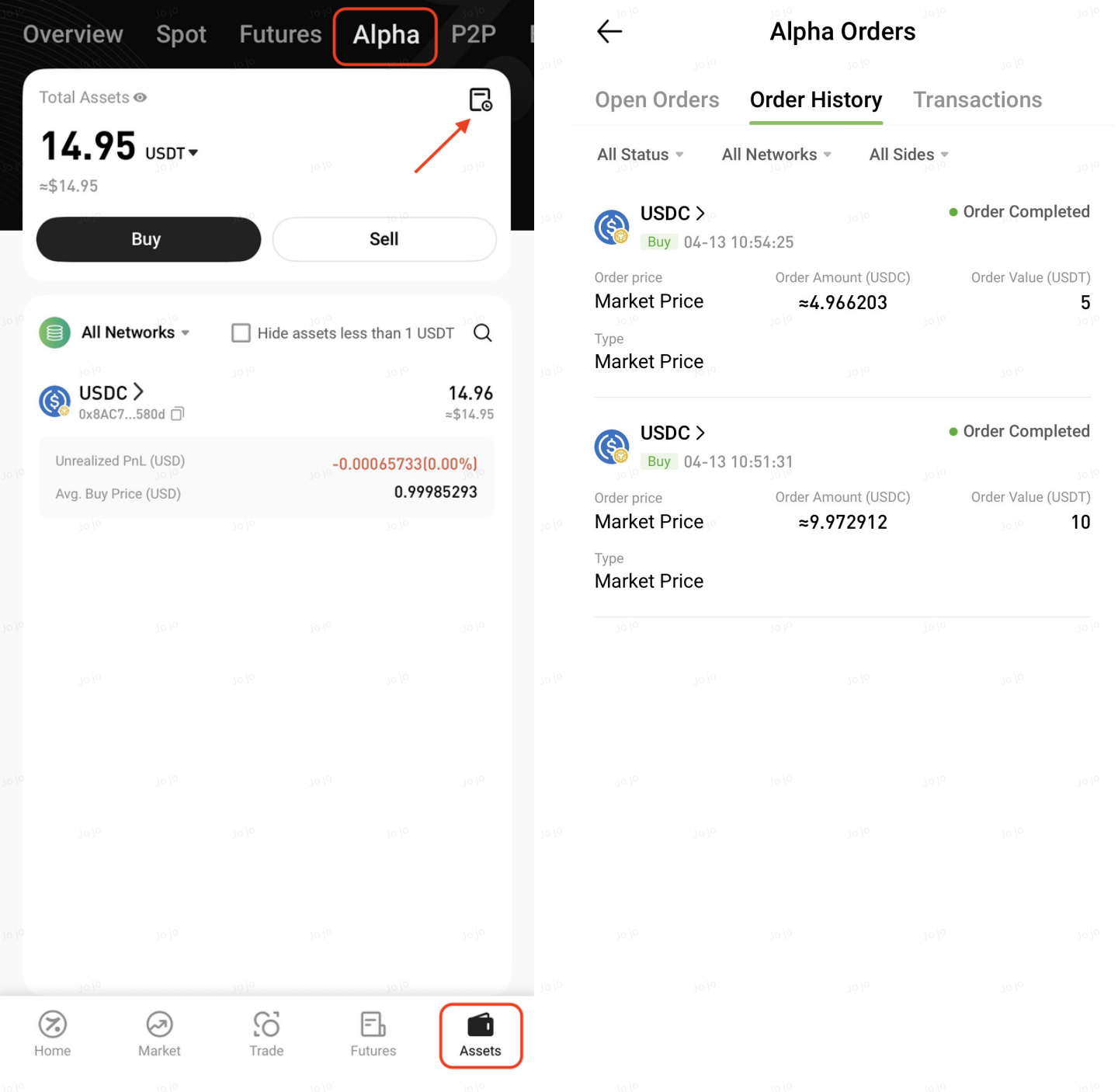
On the Web:
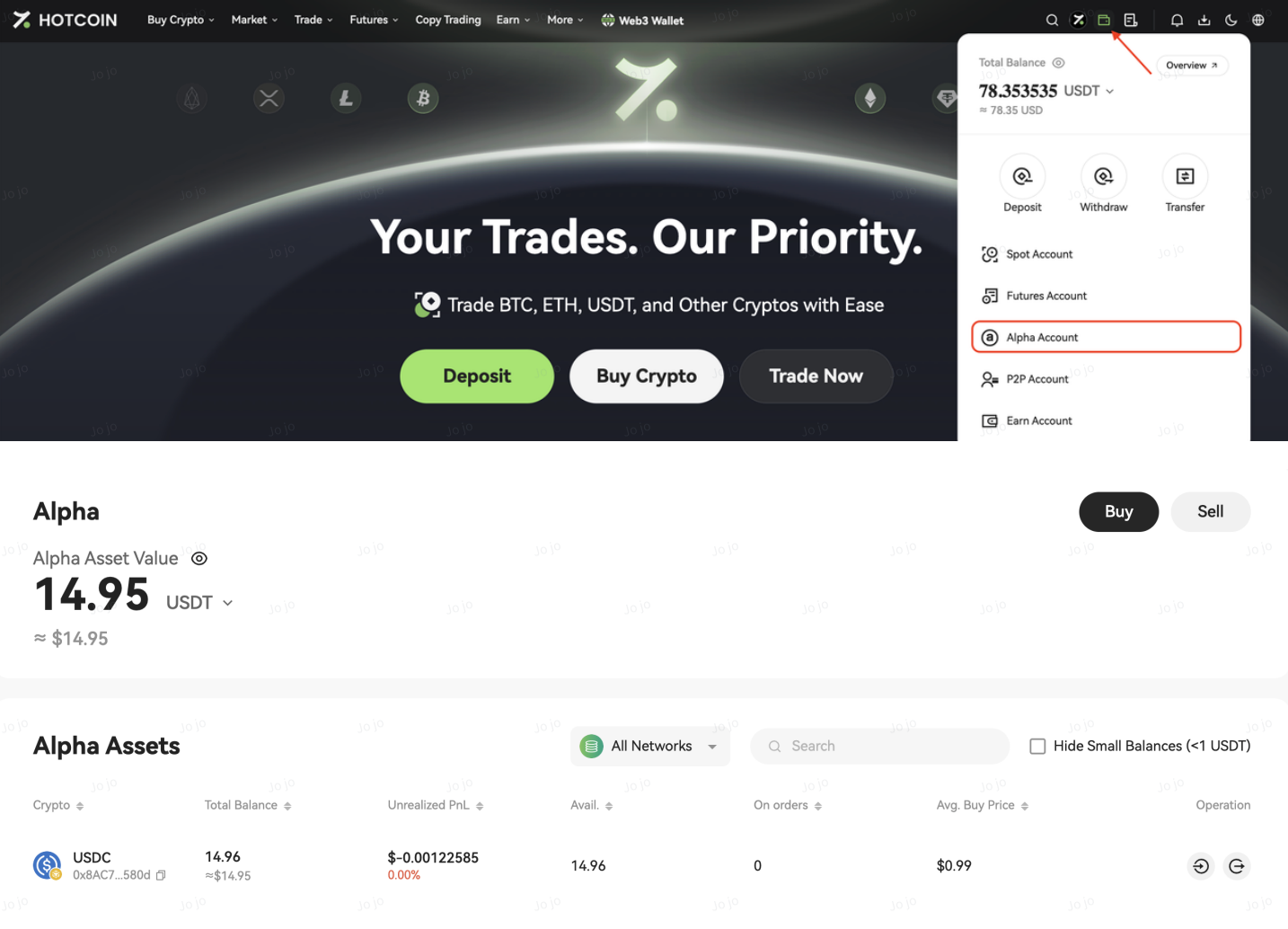
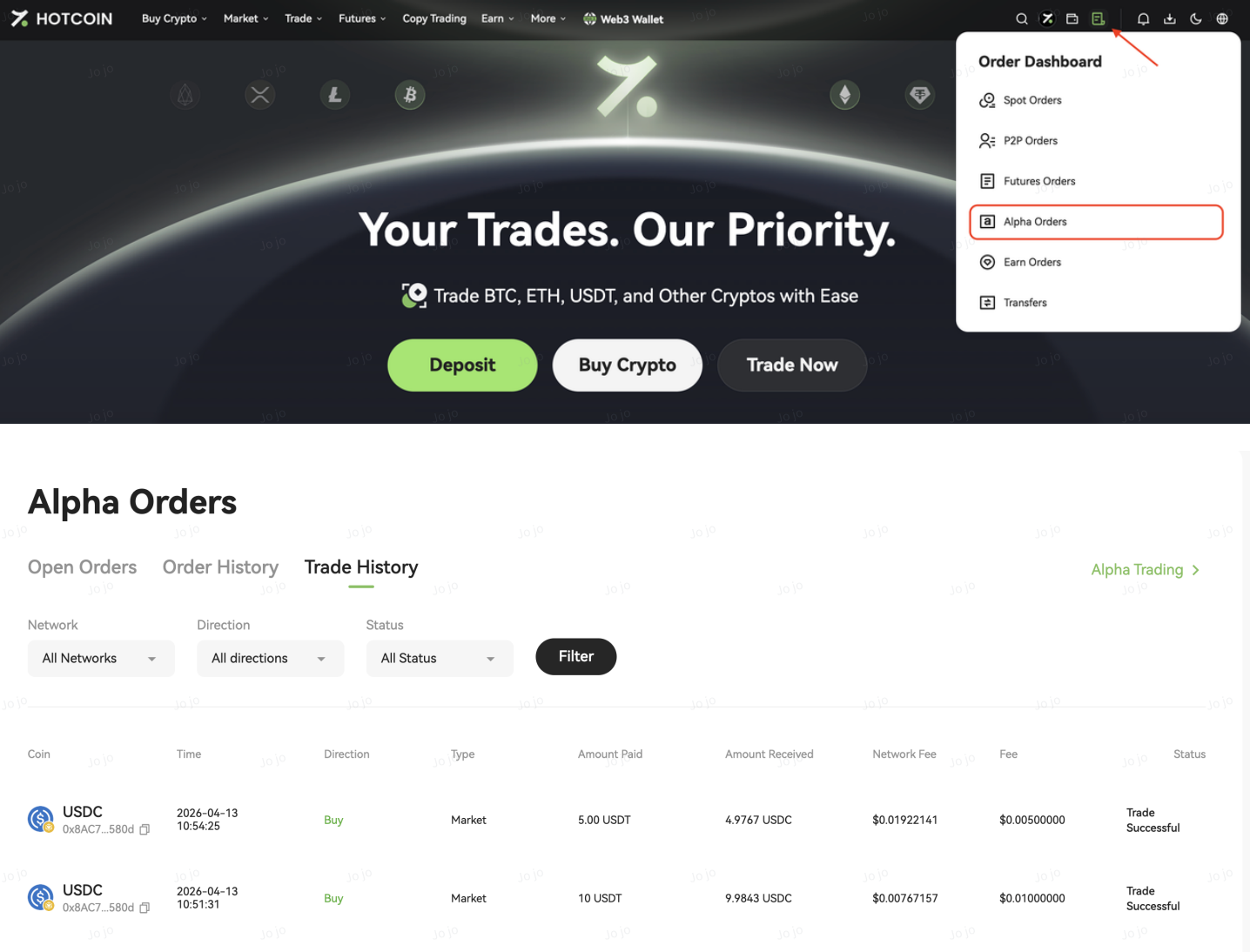
Notes